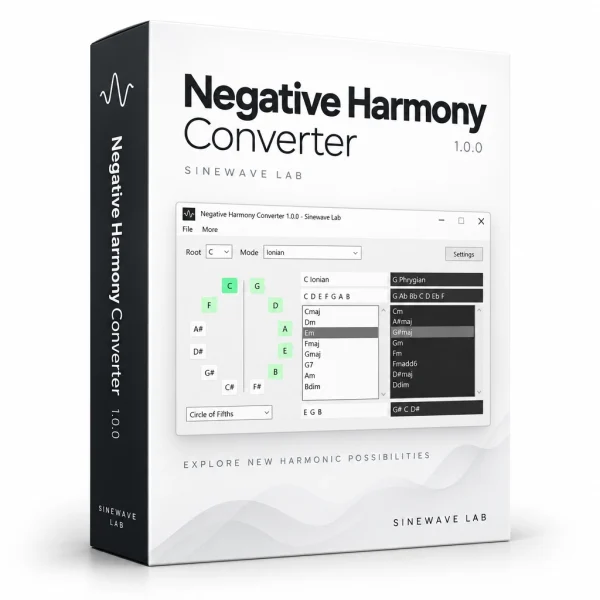
Turn scales and chords into their negative-harmony counterparts: and hear the difference with a click.
· For Windows 10 / 11
Description
Exploring negative harmony doesn’t have to be complicated.
Our Negative Harmony Converter tool handles the theory for you.
This frees you to focus on the useful question:
Does this sound good in my music?
How it works
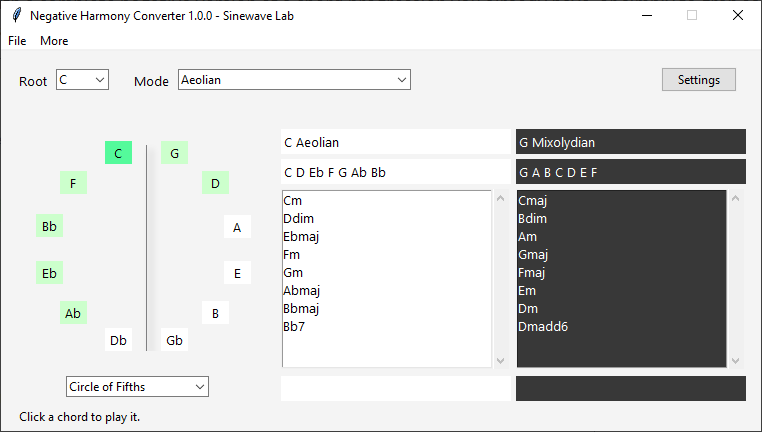
- Choose your root and mode
- See original mode & chords side by side with their negative versions
- Click a chord to hear it
A familiar progression. A different feeling.
Start with a simple progression in C major:
C – F – G – C
Its negative-harmony counterpart gives you:
Cm – Gm – Fm – Cm
You can explore the fully transformed progression… or borrow just one negative chord.
For example:
C – F – Fm – C
That small change introduces a different colour without replacing the whole progression.
Negative Harmony Converter helps you find these possibilities, compare the chords, and decide which ideas are worth taking to your instrument or music project.
Use the whole transformation. Borrow one chord. Follow your ears.
Watch this video for a practical example:
Nine mode families to explore
Go beyond the modes of the major scale with:
- Major
- Melodic Minor
- Harmonic Minor
- Harmonic Major
- Double Harmonic Major
- Neapolitan Major
- Neapolitan Minor
- Hungarian Major
- Romanian Major
Chord filters that keep things manageable
Start with basic chords or triads, then explore sevenths, added-note chords, suspended chords, and altered chord types.
Use the built-in presets or create your own selection from 25 chord-type filters.
Frequently asked questions
Q: Do I need to understand negative harmony first?
A: No. Knowing a little about scales and chords will help, but you can begin by choosing a root and mode, comparing the results, and listening. The side-by-side display makes the relationships easier to follow.
Q: Does it only work with major scales?
A: No. It includes modes from nine scale families, with filters to keep the mode list as broad or as focused as you like.
Q: Can I hear the chords?
A: Yes. Click a chord to play it through an available MIDI output selected in Settings. Sound depends on the MIDI device or synthesizer receiving those notes.
Q: Can I use it without a MIDI output?
A: Yes. Scale and chord conversion still works. A MIDI output is needed only for playback.
Q: Does it automatically convert an audio file or a whole song?
A: No. This is an interactive scale-and-chord exploration tool, not an audio-processing application or automatic song converter.
Q: Is it a DAW plugin?
A: No. Negative Harmony Converter is a standalone Windows application.
Requirements
> Windows:
Operating System: Windows 7 / 8 / 10 / 11
Architecture: 64 bits
RAM: 1 GB
Soundcard: Required
Hard-Drive Free Space: 50 MB
Minimum Screen Resolution: 800×600
Give your next progression another possibility.
Choose a scale. Compare its negative counterpart. Listen for something worth keeping.